

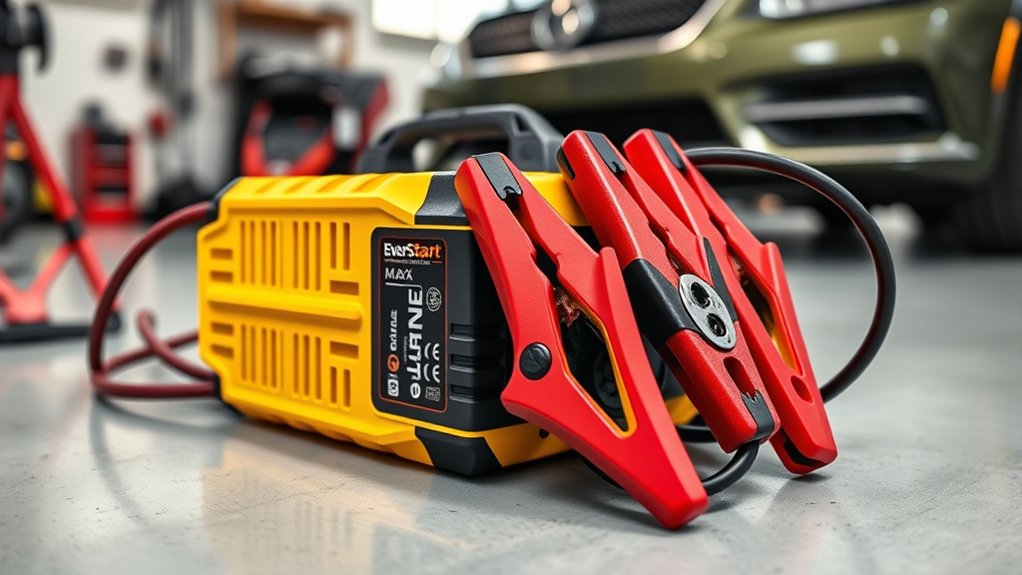
To use your EverStart Maxx Battery Charger safely and effectively, start by placing the charger on a dry, stable surface. Inspect the cables thoroughly for any signs of damage before proceeding. Proper connection is crucial for optimal charging and battery health.
Connect the red clamp to the positive terminal of your battery. Attach the black clamp to the negative terminal or a grounded metal surface. This ensures a secure and correct setup for charging.
Next, select the appropriate charging mode based on your battery’s voltage and condition. Plug in the charger and switch it on to begin the charging process. Keep an eye on the charger to monitor progress.
Once the battery is fully charged, disconnect the charger carefully. After charging, clean the battery terminals to maintain good electrical contact and prolong battery life.
Stay tuned for more useful tips on battery maintenance and troubleshooting to get the best performance from your EverStart Maxx Battery Charger.
Key Takeaways
- Place the charger on a dry surface near a power outlet and check cables for damage before use.
- Identify battery voltage and select the appropriate charging mode on the EverStart Maxx charger.
- Connect red clamp to the positive terminal and black clamp to the negative terminal or grounded metal surface securely.
- Plug in the charger, turn it on, and monitor indicators for charging progress and safety.
- Once fully charged, unplug and disconnect clamps, then clean battery terminals and inspect for damage.
Prepare Your EverStart Maxx Charger and Workspace

Before you begin charging, make sure you’ve placed your EverStart Maxx charger on a clean, dry surface near a power outlet. This guarantees stability and easy access to power without stretching cords. Check the charger’s cables for any signs of damage or wear; frayed or cracked wires can be hazardous.
Keep the workspace well-ventilated to avoid buildup of any harmful gases during charging. Remove any flammable materials from the area to maintain safety. Gather necessary tools like gloves and safety glasses if you have them, as a precaution.
Finally, have your vehicle’s manual handy for any specific battery instructions. Taking these steps prepares you for a safe, efficient charging process without surprises.
Connect the Charger Safely to Your Vehicle’s Battery
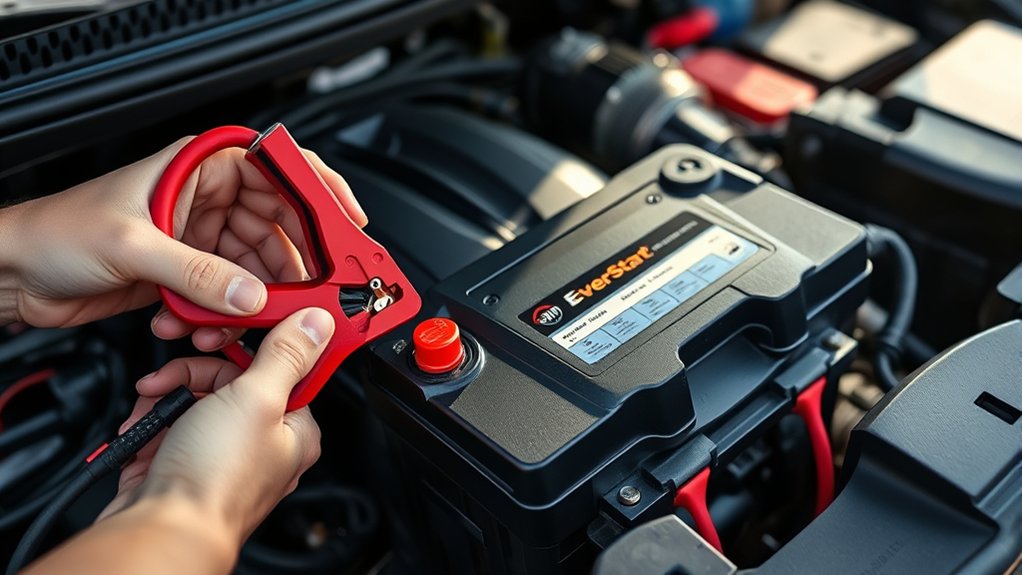
Before you connect the EverStart Maxx charger, make sure you clearly identify your battery’s positive and negative terminals. Always match the charger’s clamps to the correct terminals to prevent damage or sparks.
Once you’ve confirmed the polarity, secure the connections firmly for a safe and effective charge.
Identify Battery Terminals
How do you quickly identify the positive and negative terminals on your vehicle’s battery? Start by looking for clear markings. The positive terminal usually has a plus sign (+) and may be covered with a red cap.
The negative terminal has a minus sign (−) and often appears black or unmarked. You’ll also notice the cable colors: red for positive and black for negative.
Here’s a quick reference to help you spot them easily:
| Terminal Symbol | Cable Color | Typical Cover Color |
|---|---|---|
| + (Positive) | Red | Red |
| – (Negative) | Black | Black or None |
| Markings | Visible | Usually on terminal |
Identifying these correctly guarantees you connect the charger safely without mistakes.
Ensure Proper Charger Polarity
Two key steps will help you guarantee proper charger polarity: correctly connecting the positive and negative clamps to their respective battery terminals. First, identify the positive terminal marked with a “+” symbol or red cover, and attach the positive (red) clamp there.
Next, find the negative terminal marked with a “–” symbol or black cover, and connect the negative (black) clamp firmly to it. Never reverse these connections, as doing so can damage your battery, charger, or vehicle’s electrical system.
Before plugging in the charger, double-check the clamps are secure and correctly placed. This simple precaution prevents sparks and ensures safe, effective charging with your EverStart Maxx battery charger.
Proper polarity is crucial for peak performance and longevity of your battery.
Secure Charger Connections
Where exactly should you connect your EverStart Maxx battery charger to guarantee safety and effectiveness? First, attach the positive (red) clamp to the positive terminal of your battery.
Next, connect the negative (black) clamp to a clean, unpainted metal surface on your vehicle’s frame or engine block, away from the battery. This reduces sparks near the battery, preventing accidents.
Always double-check your connections before powering on the charger.
| Step | Action |
|---|---|
| 1 | Identify battery terminals |
| 2 | Connect red clamp to positive (+) |
| 3 | Connect black clamp to vehicle frame |
| 4 | Confirm clamps are secure |
| 5 | Power on charger |
Following these steps keeps you safe and guarantees efficient charging performance.
Select the Correct Charging Mode on the EverStart Maxx Battery Charger
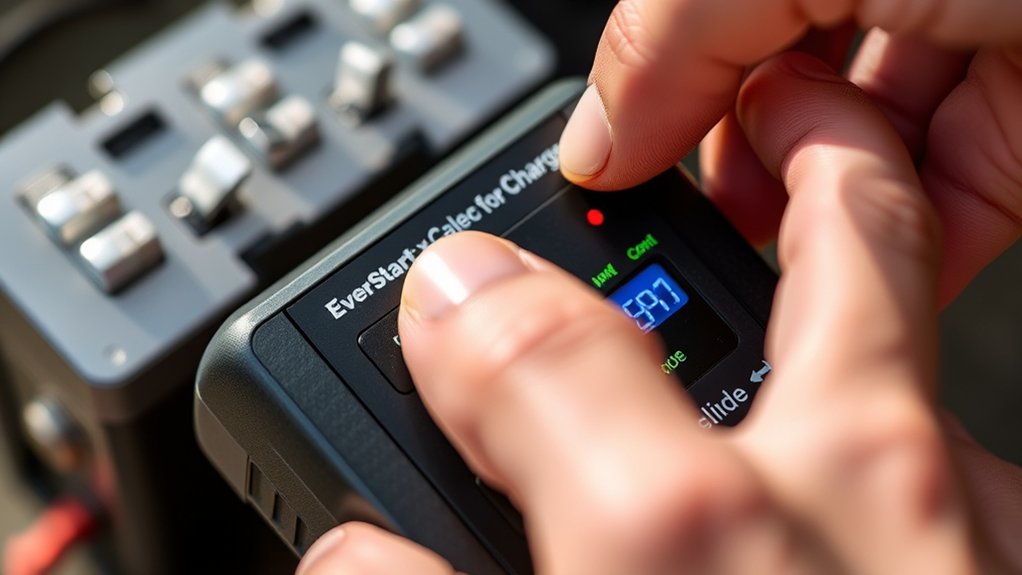
Before you start charging, you’ll need to choose the right mode on your EverStart Maxx battery charger to match your battery type and condition. The charger offers several modes—such as standard charging, quick charge, and maintenance—to accommodate different battery sizes and states.
First, identify whether your battery is a 6-volt or 12-volt type. Then, decide if it needs a full charge or just a maintenance boost. Use the mode selector button on the charger to toggle between options.
The display will show the selected mode clearly, so take a moment to verify it matches your battery’s specifications. Picking the correct mode guarantees efficient charging and protects your battery from damage or overcharging. Don’t rush this step; accuracy here matters.
Start Charging and Monitor Battery Status
Once you’ve connected the charger properly and chosen the right charging mode, it’s time to start charging your battery. Keep an eye on the battery indicators to track the charging progress and status.
This will help you know when the battery is fully charged and ready to go.
Connecting Charger Properly
Although connecting the EverStart Maxx battery charger might seem straightforward, doing it correctly guarantees safe and effective charging. First, make sure the charger is unplugged. Attach the positive (red) clamp to the battery’s positive terminal, then connect the negative (black) clamp to the negative terminal or a grounded metal surface away from the battery.
Avoid touching clamps together once connected. After confirming the clamps are secure, plug the charger into a power outlet. Once connected, turn on the charger to start charging.
Keep an eye on the battery status indicator to monitor the charging progress and verify the battery isn’t overheating. If you notice any irregularities, disconnect the charger immediately for safety. Proper connection helps extend battery life and prevents accidents.
Selecting Charging Mode
When you’ve connected the EverStart Maxx battery charger properly, you can select the appropriate charging mode to match your battery’s needs. The charger offers modes tailored for different battery types and conditions, ensuring safe and efficient charging. Simply choose the mode that fits your battery: maintenance, standard, or rapid charge.
After selecting, press the start button to begin charging. As it works, keep an eye on your battery’s status to catch any unusual behavior early.
Here’s why selecting the right mode matters:
- Protects your battery from overcharging
- Saves you time with faster charging options
- Extends your battery’s lifespan
- Gives you peace of mind during the process
This step is essential before moving on to reading battery indicators.
Reading Battery Indicators
After selecting the right charging mode and pressing start, you’ll want to keep an eye on the battery indicators. The EverStart Maxx charger has clear LED lights that show the battery’s charge status. A blinking light usually means the charger is analyzing the battery or charging is in progress.
When the light turns solid, the battery is fully charged and ready to use. If you see a red or flashing indicator, it could signal a problem like a bad connection or a faulty battery. Always monitor these indicators closely to guarantee safe charging.
If any warning lights appear, stop the process and check your connections or battery condition before continuing. This helps you avoid damage and keeps your battery in good shape.
Disconnect the Charger at the Right Time
To ensure your battery stays in good condition, you should disconnect the EverStart Maxx charger as soon as it indicates a full charge. Leaving the charger connected longer than necessary can overcharge the battery, reducing its lifespan and performance. When the charger signals completion, unplug it promptly to protect your battery from damage.
Remember:
- Overcharging can cause overheating and battery swelling.
- Timely disconnection ensures safety for both you and your vehicle.
- It helps maintain the battery’s ideal charging cycle.
- Prevents unnecessary energy consumption and wear on the charger.
Simple Battery Maintenance After Charging
Although your battery is charged, maintaining it properly guarantees it stays reliable and lasts longer. After disconnecting your EverStart Maxx charger, clean the battery terminals with a mixture of baking soda and water to remove any corrosion. Use a wire brush if needed, then rinse and dry thoroughly.
Check the battery case for cracks or leaks—replace it if you spot any damage. Keep the battery securely mounted to prevent vibrations that can cause wear. If your battery is not sealed, top off the cells with distilled water to maintain electrolyte levels.
Finally, store the battery in a cool, dry place away from extreme temperatures when not in use. These simple steps help you get the most out of your battery’s lifespan.
How to Fix Common Problems With Your EverStart Maxx Charger
When your EverStart Maxx charger isn’t working properly, it can be frustrating, but many common issues are easy to diagnose and fix. First, check the power source to ensure the charger is plugged in securely. Next, inspect the clamps for corrosion or dirt, which can block the connection.
If your EverStart Maxx charger isn’t working, first check the power source and clamps for secure, clean connections.
If the charger won’t start, reset it by unplugging and plugging it back in. Also, verify the battery terminals are clean and tight.
Here are quick fixes to try:
- Clean and tighten all connections
- Reset the charger by disconnecting power
- Replace damaged clamps or cables
- Test the charger on a different battery to isolate the problem
These steps can save you time and keep your charger working smoothly.
Frequently Asked Questions
Can the Everstart Maxx Charger Be Used on Motorcycle Batteries?
Yes, you can use the EverStart Maxx charger on motorcycle batteries. Just make sure the battery voltage matches the charger’s settings, and always follow safety precautions to avoid overcharging or damaging your motorcycle battery.
What Safety Precautions Are Recommended When Storing the Charger?
Don’t treat your charger like a ticking time bomb! You should store it in a cool, dry place, away from moisture and flammable materials.
Always unplug it and coil cables neatly to avoid damage or accidents.
How Long Is the Warranty Period for the Everstart Maxx Charger?
The EverStart Maxx charger comes with a 2-year warranty. You can rely on this coverage for repairs or replacements if it malfunctions within that period, giving you peace of mind while using the charger.
Can the Charger Handle Deep Cycle Batteries?
You might think the EverStart Maxx only handles standard batteries, but it actually can charge deep cycle batteries too.
Just be sure to select the proper settings to avoid overcharging and prolong your battery’s life.
Is the Everstart Maxx Charger Compatible With Lithium-Ion Batteries?
No, the EverStart Maxx charger isn’t compatible with lithium-ion batteries. It’s designed mainly for lead-acid types.
You’ll want a charger specifically made for lithium-ion to guarantee safety and proper charging performance.
Conclusion
Using your EverStart Maxx battery charger is straightforward and safe when you follow the right steps. You might worry it’s complicated or risky, but the charger’s clear instructions and safety features make it easy for anyone to use confidently. Just prepare your workspace, connect properly, choose the correct mode, and monitor the process.
With a little care, your battery will be charged efficiently, and you’ll avoid common issues. Don’t hesitate—your battery’s health is worth it! Using the EverStart Maxx battery charger ensures reliable performance and extends the life of your battery. Follow these steps to make the most out of your EverStart Maxx battery charger every time.

