


A battery charger works by first converting high-voltage AC from the outlet into safer, lower-voltage DC using a transformer and rectifier. This essential step ensures the electrical current is suitable for the battery, preventing potential damage.
The charger then regulates this DC power to match your battery’s specific needs, promoting efficient charging.
Inside the battery, chemical reactions store energy while the charger continuously monitors conditions. It adjusts charging modes to optimize performance and extend battery life.
Smart chargers use advanced technology to protect your battery from overcharging, overheating, and other risks.
Keep following to uncover more about how smart chargers safeguard and enhance your battery’s longevity and reliability. Understanding these steps can help you maintain your battery in peak condition.
Key Takeaways
- Converts high-voltage AC from the outlet into lower-voltage DC using a transformer and rectifier.
- Regulates voltage and current to match the battery type and prevent damage during charging.
- Initiates chemical reactions inside the battery to store electrical energy as chemical energy.
- Monitors battery condition, temperature, and charge level to adjust charging modes dynamically.
- Uses safety features and adaptive modes to prevent overcharging and extend battery lifespan.
What a Battery Charger Is and Why It’s Essential

Although you might take it for granted, a battery charger plays a crucial role in keeping your devices powered and ready to use. It’s a device designed to restore energy to rechargeable batteries by supplying them with electrical current. Without a charger, your gadgets—whether smartphones, laptops, or electric tools—would quickly lose functionality.
You rely on chargers daily to maintain battery health and extend device lifespan. They ensure your batteries don’t run out at critical moments, making them indispensable for convenience and productivity. Understanding what a charger is helps you appreciate how it supports your tech’s continuous performance.
How Chargers Convert AC Power to DC Current

To charge a battery, your charger needs to change the AC power from the outlet into DC current the battery can use. This conversion happens through a key component called a rectifier, which directs the electrical flow in one direction.
Understanding how this process works helps you see how your charger safely powers up your device.
AC to DC Conversion
Every battery charger starts by converting the AC power from your wall outlet into DC current, which batteries require to charge efficiently. This process involves a few key steps to guarantee the power is usable and safe for your battery:
- Voltage Reduction: The charger lowers the high voltage AC to a safer, manageable level suitable for the battery.
- Current Smoothing: It smooths out fluctuations in power to provide a steady current, protecting your battery from damage.
- Polarity Correction: The charger adjusts the current direction, making sure it flows correctly into the battery.
Role of Rectifiers
When your charger converts AC power to DC current, rectifiers play an essential role by directing the flow of electricity in one direction only. Since AC power constantly reverses direction, your device can’t use it directly to charge a battery. Rectifiers use semiconductor components like diodes to block current from flowing backward, ensuring a steady DC output.
This process transforms the alternating waveform into a pulsating direct current. After rectification, the charger often smooths this current further using filters to reduce fluctuations. Without rectifiers, your charger couldn’t provide the consistent DC power batteries need for safe and efficient charging.
The Transformer’s Role in Battery Chargers
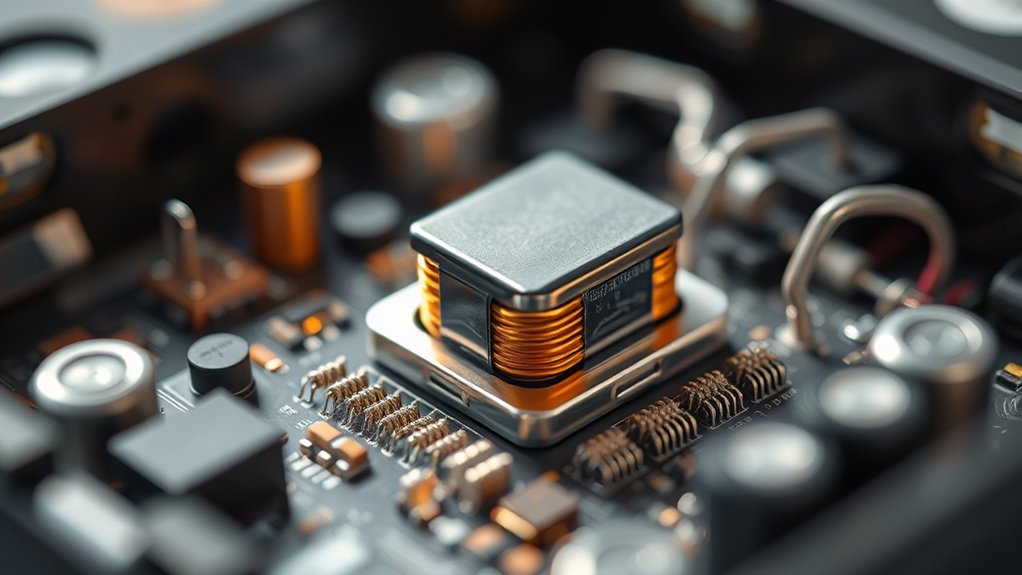
You’ll find that the transformer plays a key role by stepping down the high voltage from the outlet to a safer, lower voltage suitable for your battery. It also provides electrical isolation, protecting you and your device from potential hazards.
Understanding this helps you see why transformers are essential for both voltage conversion and safety in chargers.
Transformer Voltage Conversion
How does a transformer change the voltage in a battery charger? It adjusts the incoming AC voltage to a level suitable for charging your battery. Here’s how it works:
- Primary Coil Receives AC Voltage: The transformer’s primary coil gets the AC voltage from the power source.
- Magnetic Field Induction: This AC current creates a magnetic field that fluctuates with the voltage.
- Voltage Conversion in Secondary Coil: The changing magnetic field induces a voltage in the secondary coil.
Depending on the coil turns ratio, this voltage is stepped down (or up) to the desired level for safe and efficient charging.
Isolation and Safety Functions
Although transformers primarily adjust voltage levels, they also play an essential role in isolating your battery charger from the main power supply. This isolation protects you and your device by preventing direct electrical connection between the high-voltage AC source and the low-voltage DC output. If a fault occurs, such as a short circuit, the transformer limits the risk of electric shock or damage.
It acts as a barrier, ensuring that dangerous voltages don’t reach your battery or the charger’s internal circuits. Additionally, isolation helps reduce electrical noise and interference, promoting stable charging performance. By separating input and output grounds, the transformer enhances safety and reliability, making your battery charger safer to use every time you plug it in.
How Rectifiers Make AC Usable for Batteries
Why can’t batteries use the alternating current (AC) directly from a power outlet? Batteries require a steady flow of direct current (DC) to charge properly. AC constantly switches direction, which can damage the battery or prevent it from charging efficiently.
That’s where rectifiers come in. They convert AC into usable DC power. Here’s how they do it:
- Diodes act as one-way valves allowing current to flow only in one direction, blocking reverse flow.
- Half-wave rectification uses a single diode to let only one half of the AC waveform pass.
- Full-wave rectification employs multiple diodes to convert both halves of the AC waveform into a smooth DC output.
Why Voltage Regulation Matters in Battery Chargers
Once the AC power is converted into DC by rectifiers, the next challenge is ensuring the voltage stays within safe limits for the battery. If the voltage is too high, it can cause overheating, damage the battery’s internal components, or reduce its lifespan. If it’s too low, the battery won’t charge efficiently or fully.
That’s why voltage regulation is essential—it keeps the output voltage steady and suitable for your battery’s specific requirements. Voltage regulators monitor the output and make real-time adjustments to prevent spikes or drops. By maintaining a consistent voltage, you protect the battery from stress and help it charge safely and effectively.
Without proper voltage regulation, your battery’s performance and durability could suffer markedly.
How Controlled Current Protects Your Battery
Because batteries are sensitive to excessive current, controlling the charging current is essential to prevent overheating and damage. When you use a charger that regulates current, it guarantees your battery charges safely and lasts longer.
Here’s how controlled current protects your battery:
- Prevents Overheating: By limiting the current flow, the battery stays cool, avoiding heat that can degrade its cells.
- Reduces Stress: Controlled current avoids sudden surges, which can physically stress and weaken the battery structure.
- Extends Battery Life: Maintaining a steady current helps preserve the battery’s capacity and overall lifespan.
What Happens Inside the Battery During Charging
As you connect your battery to a charger, chemical reactions inside the battery begin converting electrical energy into stored chemical energy. When the charger supplies current, ions move through the electrolyte from one electrode to the other. For example, in a lithium-ion battery, lithium ions migrate from the positive cathode to the negative anode, where they’re stored.
This movement reverses the chemical changes that occurred during discharge. Electrons simultaneously flow through the external circuit into the battery’s negative terminal, balancing the internal ion flow. As the process continues, the battery’s voltage rises, indicating its increasing charge level.
Once fully charged, the chemical reactions slow down, and the battery stores maximum energy, ready to power your device when needed.
How Smart Chargers Adapt to Battery Types and Conditions
Understanding the chemical processes inside a battery helps explain why chargers must adjust their approach based on the battery type and condition. Smart chargers use sensors and microprocessors to tailor charging to each battery’s needs, enhancing efficiency and safety.
Here’s how they adapt:
- Battery Type Detection: The charger identifies whether it’s a lead-acid, lithium-ion, or NiMH battery, adjusting voltage and current accordingly.
- Condition Monitoring: It assesses the battery’s charge level, temperature, and health to prevent overcharging or overheating.
- Adaptive Charging Modes: Based on the data, the charger switches between bulk, absorption, and float modes to optimize charging speed and prolong battery life.
Signs Your Charger Is Working Properly
When you connect your battery charger, you want to be sure it’s doing its job correctly. One clear sign is the indicator light—most chargers have LEDs that turn on or change color to show charging status. You’ll notice a steady light or a blinking pattern confirming active charging.
Also, your battery should feel slightly warm but never hot, signaling energy flow without overheating. Check the voltage reading if your charger has a display; it should gradually increase as the battery charges. Finally, your device should hold a charge longer after charging.
If you see these signs, your charger is working properly, efficiently restoring your battery without issues.
Common Charging Mistakes and How to Avoid Them
You might think leaving your battery on the charger longer is harmless, but overcharging can damage it. Choosing the right charger for your battery type is just as important to avoid problems.
Let’s look at how to prevent these common mistakes and keep your battery healthy.
Overcharging Risks
Although battery chargers are designed to stop charging once the battery is full, overcharging can still happen if the charger or battery lacks proper safeguards. Overcharging stresses the battery, leading to reduced lifespan, overheating, or even leakage.
To avoid these risks, you should:
- Monitor Charging Time – Don’t leave your battery plugged in longer than necessary; unplug it once fully charged.
- Use Smart Chargers – Choose chargers with automatic cut-off and temperature control.
- Check Battery Condition – Avoid charging damaged or swollen batteries, as they’re more prone to overcharge hazards.
Proper Charger Selection
Since using the wrong charger can damage your battery or reduce its efficiency, selecting the proper charger is essential. You need to match the charger’s voltage and current output to your battery’s specifications. Using a charger with too high voltage or current can overheat and harm the battery, while too low may result in incomplete charging.
Common mistakes include ignoring battery type, charger compatibility, or the charging rate. Avoid these by always checking the charger’s ratings and your battery’s requirements.
| Mistake | How to Avoid |
|---|---|
| Using incompatible types | Confirm charger matches battery |
| Overcurrent charging | Use chargers with current limits |
| Ignoring voltage specs | Verify voltage output carefully |
| Charging at wrong rate | Follow manufacturer’s guidelines |
Frequently Asked Questions
Can I Use a Battery Charger for Different Battery Chemistries?
You can’t use a battery charger for different chemistries unless it’s designed for them. Mixing chemistries risks damaging batteries or the charger.
Always check the charger’s specifications to verify compatibility and safety when charging different battery types.
How Long Does It Typically Take to Fully Charge a Battery?
Charging a battery typically takes a few hours, not an eternity! Depending on the battery’s capacity and charger speed, you’ll usually see full power restored in 1 to 8 hours—never wait days, thankfully!
Is It Safe to Leave a Battery Charger Plugged in Overnight?
You can leave a battery charger plugged in overnight if it has an automatic shutoff or trickle charge feature. Without these, it might overcharge, causing damage or safety risks, so always check your charger’s specifications first.
What Maintenance Does a Battery Charger Require for Longevity?
You’ll want to clean the charger’s contacts regularly—they’re dirtier than a mud wrestling match! Also, store it in a cool, dry place and check cables for wear to keep it charging like a champ for years.
Can Extreme Temperatures Affect Charging Efficiency?
Yes, extreme temperatures can diminish your battery charger’s efficiency. Cold slows chemical reactions, while heat risks damage.
You should charge in moderate temperatures to guarantee peak performance and prolong both your battery and charger’s lifespan.
Conclusion
Think of your battery charger as a bridge, turning the wild river of AC power into a calm stream of DC current that your battery can drink from safely. By understanding its steps—from transforming and rectifying to regulating—you guarantee this bridge stands strong and steady.
When you avoid common mistakes and watch for signs of life, you keep your battery’s heart beating longer, powering your world without interruption. Trust the charger to be the silent guardian of your energy. Proper maintenance and correct usage of a battery charger are essential for extending battery life and ensuring reliable performance.

